Aya on your computer
updated November 28, 2026 • 1 minIn short
- Open ayacycle.com/app in your browser and sign in the same way as on your phone
- Logs and forecasts are the same as on your phone
- Month and logging are on the right, next to Today
Open it
- In your computer's browser open ayacycle.com/app.
- Sign in the same way as on your phone (Google, Yandex or email). All your logs are already there.
What is where
- Left — sections as icons: Today, Calendar, My cycles, the red "+" to log today, settings at the bottom.
- Middle — the section you chose.
- Right, on Today — your month and logging: tap a day in the month and log right there, everything is saved at once.
- Settings — two columns: sections on the left, content on the right.
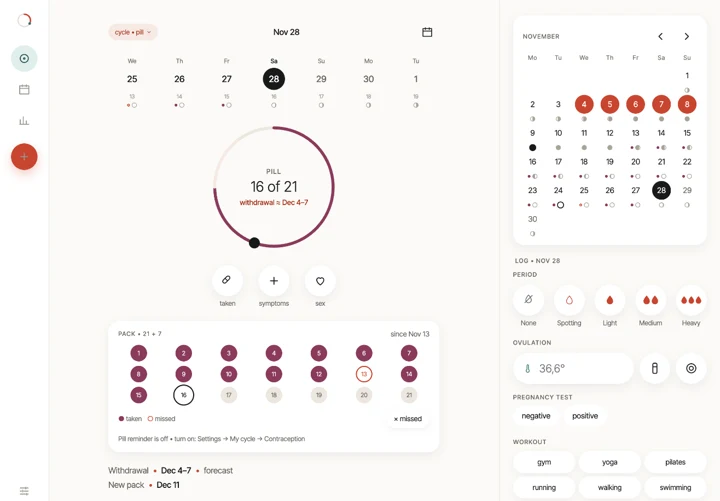
If the window is narrower than 1100 pixels, Aya looks the same as on your phone.
Still stuck?Write to us from the app: Settings → Help → Contact. We reply in the chat.
Open Aya