Ovulation day — by hand
updated November 28, 2026 • 1 minIn short
- Calendar → a day → "Ovulation happened this day"
- Not sure of the day — mark up to 3 days in a row
- The next period forecast is recalculated
Mark it
- Open the calendar and tap a day.
- In the day card turn on "Ovulation happened this day".
- Not sure of the exact day — the icon next to it, "Several days (up to 3)": tap it, then the last day.
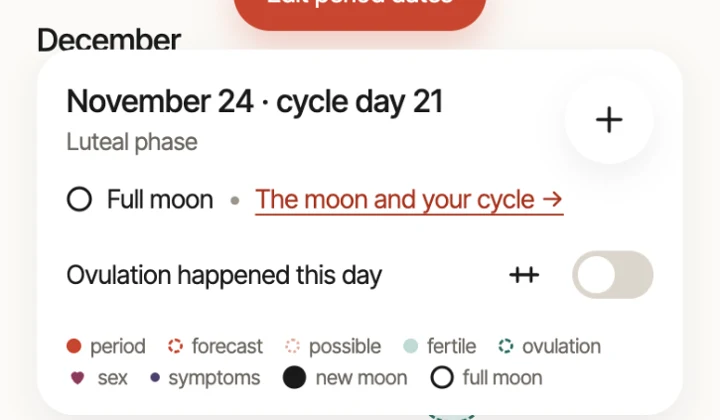
Aya puts your mark above its own estimate: the second phase is counted from it and the next period forecast moves. To remove the mark, use the same switch.
Questions
Why is there no switch?
It is not shown for future days, in pregnancy, or on combined hormonal contraception — there is no ovulation then.
Still stuck?Write to us from the app: Settings → Help → Contact. We reply in the chat.
Open Aya