Partner: invite him and choose what he sees
updated November 28, 2026 • 3 minIn short
- Settings → "Partner and family" → "Invite your partner"
- You decide: period dates, fertile days, tips, a reminder for him
- He never sees sex, notes or symptoms
Step 1. Set it up
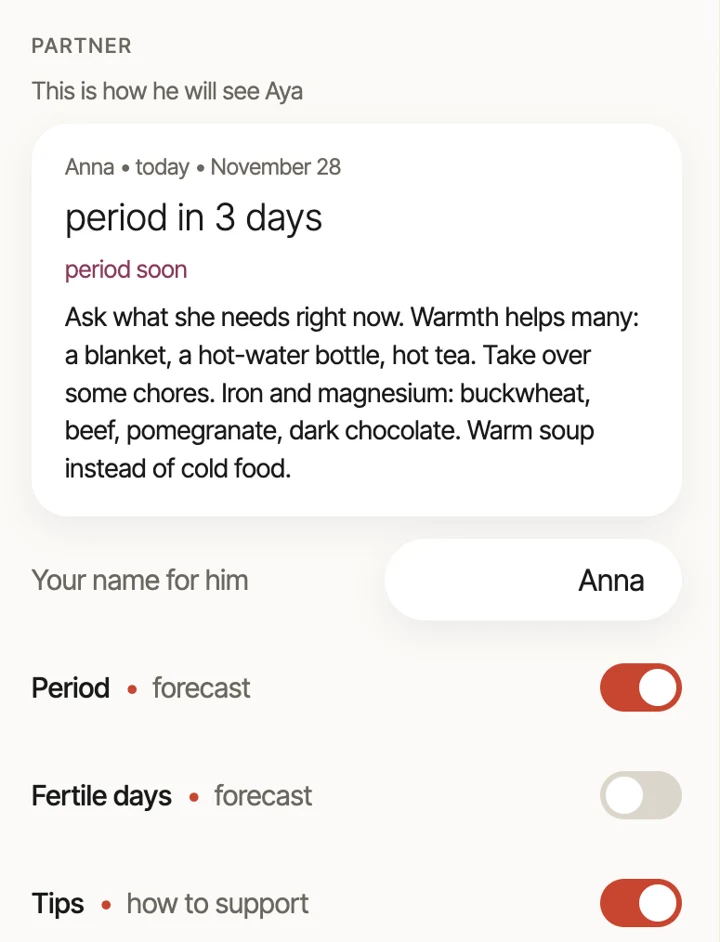
- Settings → "Partner and family" → "Partner".
- "Your name for him" — the name he will see.
- Choose what to share: "Period" — forecast dates, "Fertile days" — forecast.
- "Tips" — how to support you, "Reminder for him" — 2 days before your period.
- "This is how he will see Aya" shows his screen in advance.
Step 2. Invite
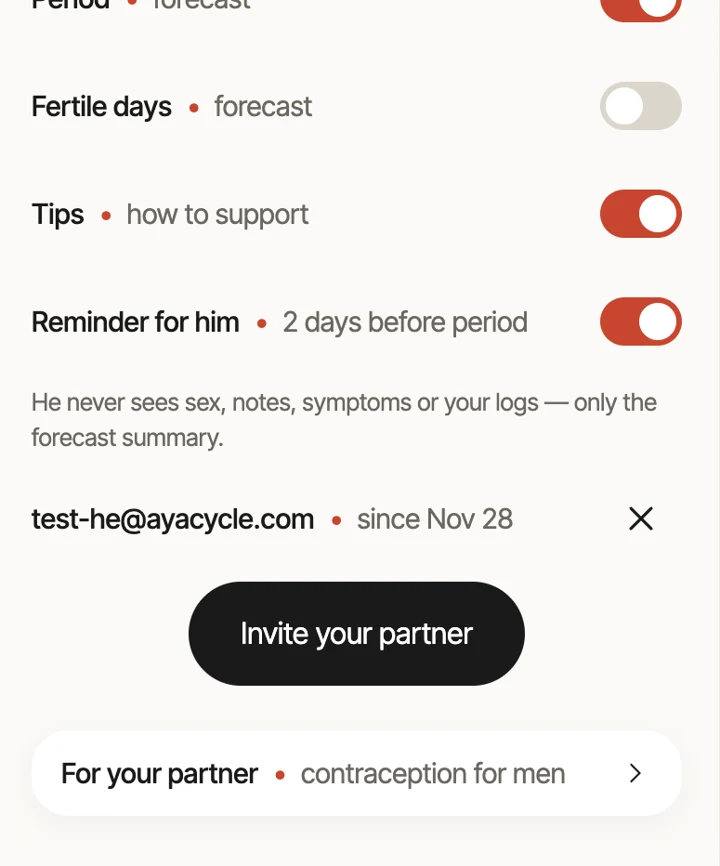
- Tap "Invite your partner" — the link is copied.
- Send it to your partner. The link works for 7 days and only once.
- He opens the link and signs in with Google or Yandex.
What he sees
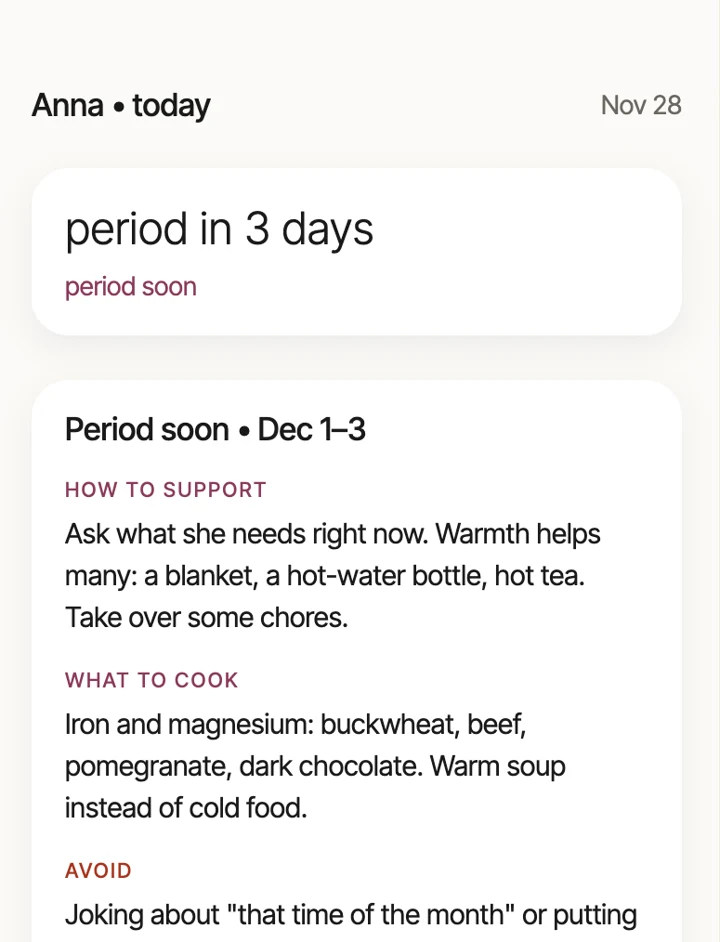
Your partner has three tabs.
- "Today" — your name and how many days until your period. Below, a tips card: "How to support", "What to cook", "Avoid". Further down — "Ideas for today", "What to cook for her" and "Read".
- "Calendar" — period, forecast and fertile days, if you share them.
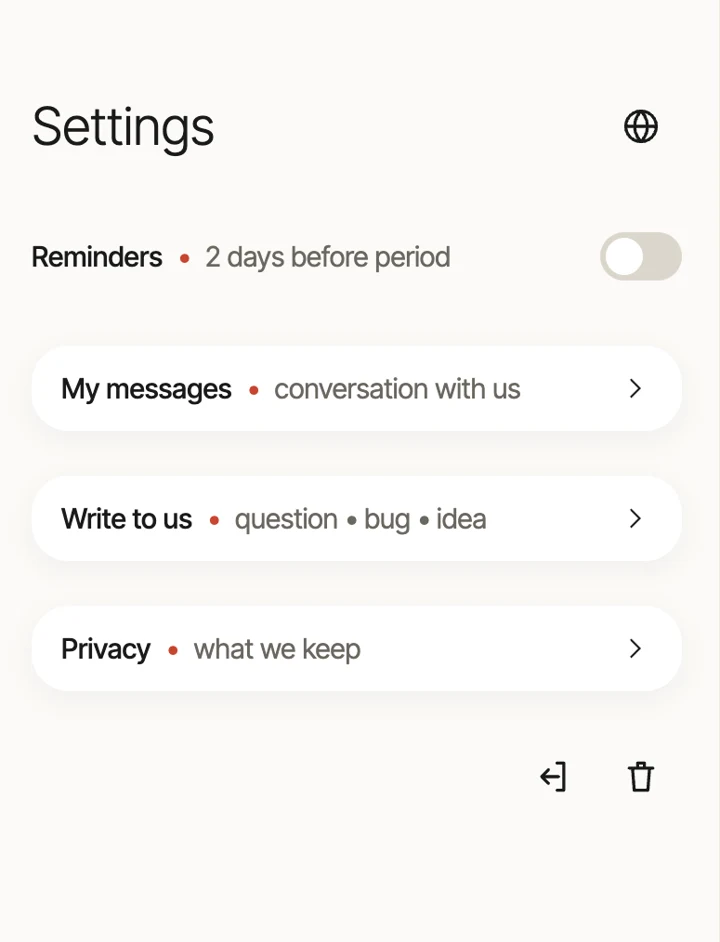
- "Settings" — "Reminders" 2 days before your period, "Write to us", sign out.
It is a forecast, not a diagnosis: the best tip for him is to ask you.
If your partner has his own Aya
- Once he accepts the invite, a question appears at the top of his Aya: "Open the partner screen?" → "Partner screen".
- Back to his own cycle: on the partner screen "Settings" → "My Aya — own cycle".
- Back to your forecast: in his Aya Settings → "Partner and family" → "Partner screen".
Close access
"Close access" — he stops seeing the forecast right away.
He never sees sex, notes, symptoms or your logs — only the forecast summary.
Questions
The link did not work
The link works for 7 days and only once. Create a new one — "Invite your partner".
Can I close access?
Yes, any time: "Close access". He stops seeing the forecast right away.
My partner has his own Aya — will his logs mix with mine?
No. Only he sees his own cycle and logs; your forecast is on a separate partner screen.
Still stuck?Write to us from the app: Settings → Help → Contact. We reply in the chat.
Open Aya