November 28, 2026You can support Aya
You asked how you could support Aya — I made it possible. You can now do it on Boosty, from 200 ₽ a month. Aya stays free forever — no ads, no subscription, no selling of data — and support unlocks nothing and changes nothing: Aya is the same for everyone. Thank you!
- Settings → the pink card "Aya is free forever" → "Support"
- Or at the bottom of any page of the site — "Support"
Open Aya →November 27, 2026Several calendars in one Aya
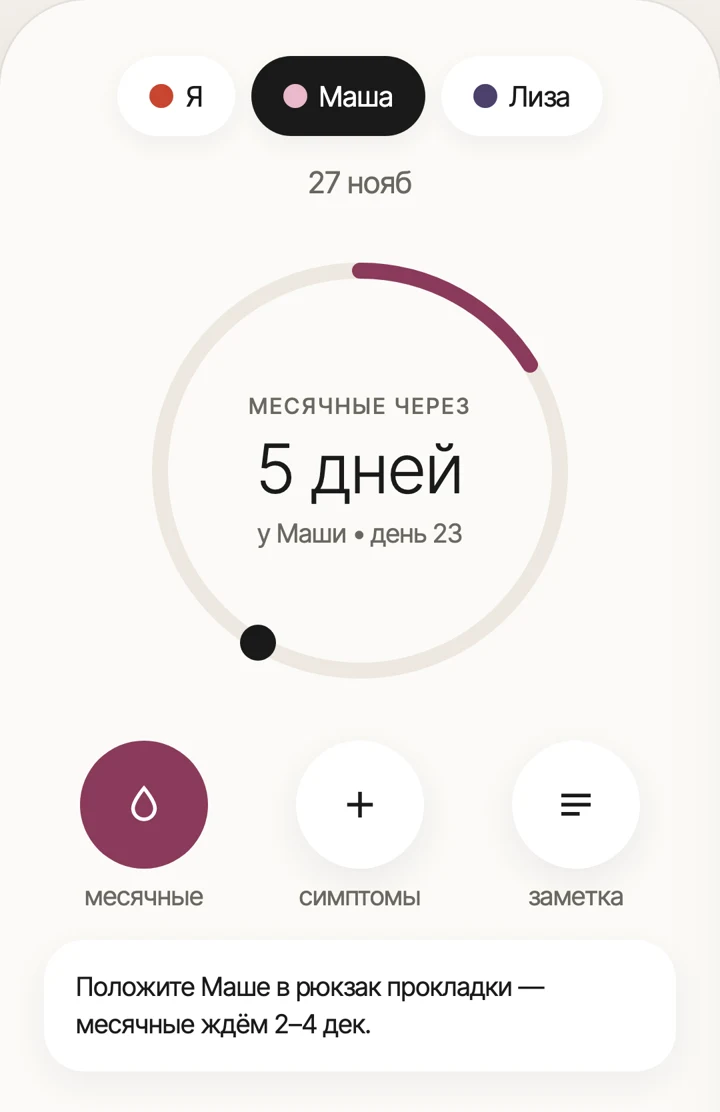
Your daughter's or mum's cycle next to yours, up to 10 people. "I track for her" — you log it; "She has her own Aya" — she decides what you see.
- Settings → "Partner and family" → "Add"
- Name → "Daughter", "Mother" or "Other"
- "I track for her" or "She has her own Aya" → colour → "Save"
- On Today tap her name to see her forecast
Read in the knowledge base →November 27, 2026Your own reminder time
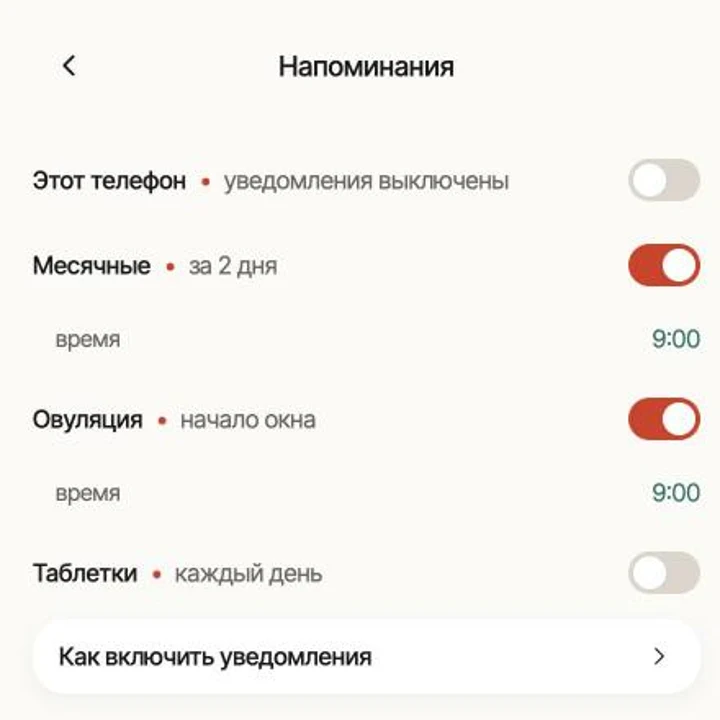
Pill, period, ovulation, migraine — pick the time yourself. Reminders follow your phone's clock.
- Settings → "Reminders"
- Under an enabled reminder — the "time" row
- Tap the time and pick yours
Open Aya →November 27, 2026Migraine and your cycle
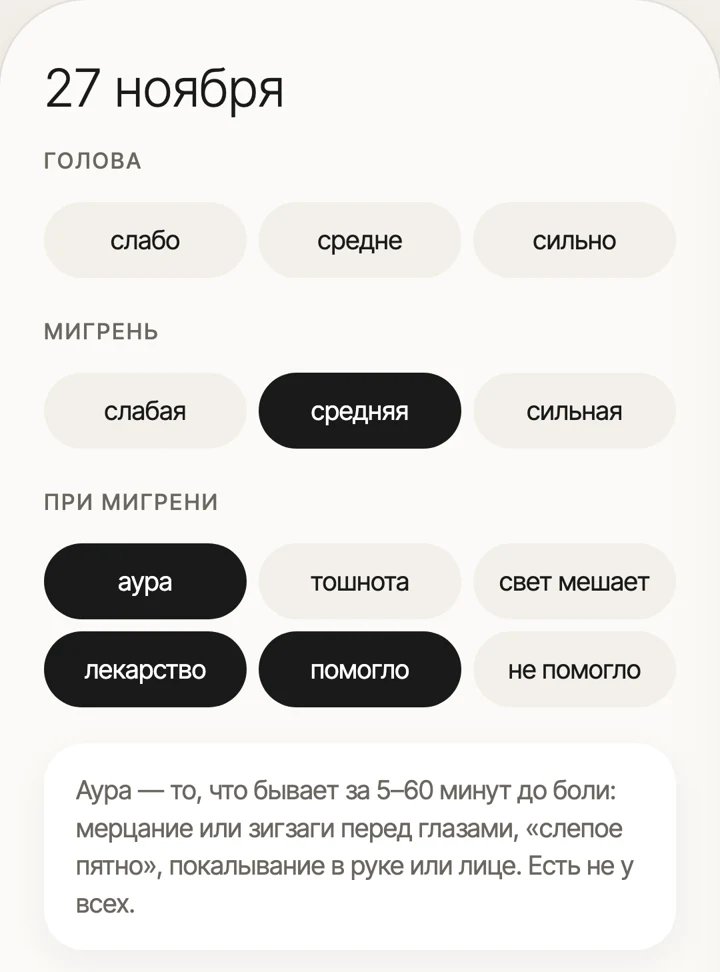
Log migraine in symptoms. Aya shows whether it is linked to your period, builds a diary for your neurologist and reminds you of your doctor's plan.
- "Symptoms" → "Migraine" and "With migraine"
- "My cycles" → the "Migraine" block and "For neurologist"
- Settings → "Migraine" — reminder per your doctor's plan
Open Aya →November 27, 2026Import from Apple Health
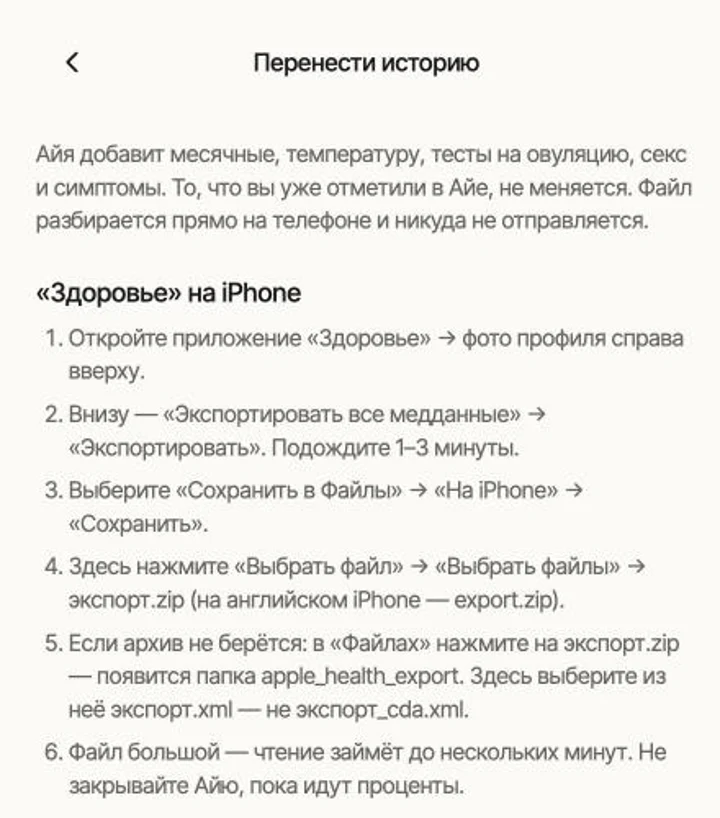
Large exports are now read in full, and Aya tells you which file to pick.
- Health → profile photo → "Export All Health Data" → "Save to Files"
- Aya → Settings → "Import and backup" → "Import history" → export.zip
Open Aya →